If you’re trying to work out what pos software actually does, here’s the short version: it’s the program that runs your till, tracks your stock, controls what your staff can access, and turns every sale into a report you can act on. Taking payment is only one job among several. Modern POS software also handles inventory counts, staff clock-ins and permissions, and links to your accounting package so your books update themselves.
This guide walks through how a POS system works from the moment a customer pays, the POS versus EPOS terminology split as it’s used in the UK, the hardware and software components involved, cloud versus on-premise setups, and what you can expect to pay in 2026. There’s no vendor ranking here, just the mechanics, so you’ll know what to look for when you do start comparing providers.
What Is a POS System, Really?
A point-of-sale system is the combination of hardware and software a business uses to process a sale and record everything connected to it. The “point of sale” itself is simply the moment and place a transaction happens, whether that’s a counter in a shop, a table in a restaurant, or a checkout page online.
POS software is the part that does the thinking. It calculates the total, applies discounts, records what was sold, updates stock levels, and files the transaction for reporting. The hardware, a screen, card reader, printer or scanner, is just how staff and customers interact with that software. You can run POS software without much hardware at all (a phone and a card reader will do), but you can’t run the hardware without the software behind it.
How Does a POS System Work?
A sale looks instant from the customer’s side, but several steps happen behind the scenes in the space of a second or two.
- A staff member adds items to the sale, either by scanning a barcode or tapping a product on screen.
- The software calculates the total, including any VAT, discounts or loyalty points applied.
- The customer pays by card, cash or mobile wallet, and the payment is authorised through a card network or payment processor.
- The sale is logged against your inventory, reducing stock counts in real time.
- A digital or printed receipt is generated.
- The transaction data feeds into your reporting dashboard and, in most modern systems, your accounting software.
That last step is where POS software earns its keep for a business owner. A basic cash register can complete steps one to five. Only proper POS software closes the loop by turning each sale into data you can use.
POS vs EPOS: The UK Terminology Explained
If you’ve searched around this topic already, you’ve probably noticed British sites use “EPOS” far more than American ones. This isn’t a different product, it’s a naming quirk.
EPOS stands for Electronic Point of Sale, and it’s the term most commonly used in the UK to describe a modern, connected, software-driven till system. In the US, the same kind of system is usually just called “POS.” According to industry guides aimed at UK businesses, the two terms now refer to the same thing in practice: a system that combines hardware and software to manage sales, stock and reporting in real time.
Historically, there was a meaningful difference. A “POS” system used to mean a standalone till or cash register with little or no software behind it, doing nothing beyond recording the transaction and giving change. An “EPOS” system meant something connected to a network, capable of tracking inventory and generating reports automatically. Some UK guides still draw that older distinction, using “POS” to describe basic, offline setups and “EPOS” for anything cloud-connected with stock and reporting features.
In everyday UK usage today, though, “POS system” and “EPOS system” are used interchangeably by most software providers, and you’ll see both terms on the same company’s website. The practical question isn’t which word a provider uses, it’s whether the system actually gives you stock control, reporting and integrations, or just processes payments.
What Does POS Software Actually Do Beyond Taking Payment?
This is where most first-time buyers underestimate what they’re choosing. Payment processing is the visible part, but it’s often the smallest piece of what the software does day to day.
Stock Control
Every sale updates your stock count automatically, so you always know what’s on the shelf without a manual count. Good POS software will also flag low stock, generate reorder suggestions, and let you track stock across multiple locations if you run more than one site. Some systems support batch and expiry tracking too, which matters for food and drink businesses in particular.
Staff Permissions
POS software lets you set different access levels for different roles. A part-time till operator might only be able to process sales and issue refunds up to a set value, while a manager can void transactions, adjust prices, or view full sales reports. This isn’t just about convenience, it’s a basic control against till fraud, since every action is logged against a named staff login rather than a shared PIN.
Reporting
Reporting is where POS software turns raw sales data into something useful. You can typically see sales by hour, by product, by staff member or by location, which helps with everything from rota planning to spotting your best-selling lines. Most systems let you export this data or view it through a dashboard you can check from your phone.
Integrations with Accounting and Payroll
Rather than exporting spreadsheets and re-entering figures by hand, most modern POS software connects directly to accounting platforms such as Xero, QuickBooks or Sage, pushing sales totals and VAT figures across automatically. Some systems also link to payroll software, using staff clock-in data captured at the till to help calculate hours worked. This kind of integration matters more than it used to, since HMRC’s Making Tax Digital rules require many VAT-registered businesses to keep digital records with a digital link between systems rather than manually retyping figures.
POS System Components: Hardware vs Software-Only
A complete POS system is generally built from a mix of hardware and software, though how much hardware you need depends heavily on your business.
Core software components:
- The point-of-sale application itself, running on a terminal, tablet or phone
- A back-office or admin dashboard for reporting and settings
- Cloud storage for your sales, stock and customer data (in cloud-based systems)
Common hardware components:
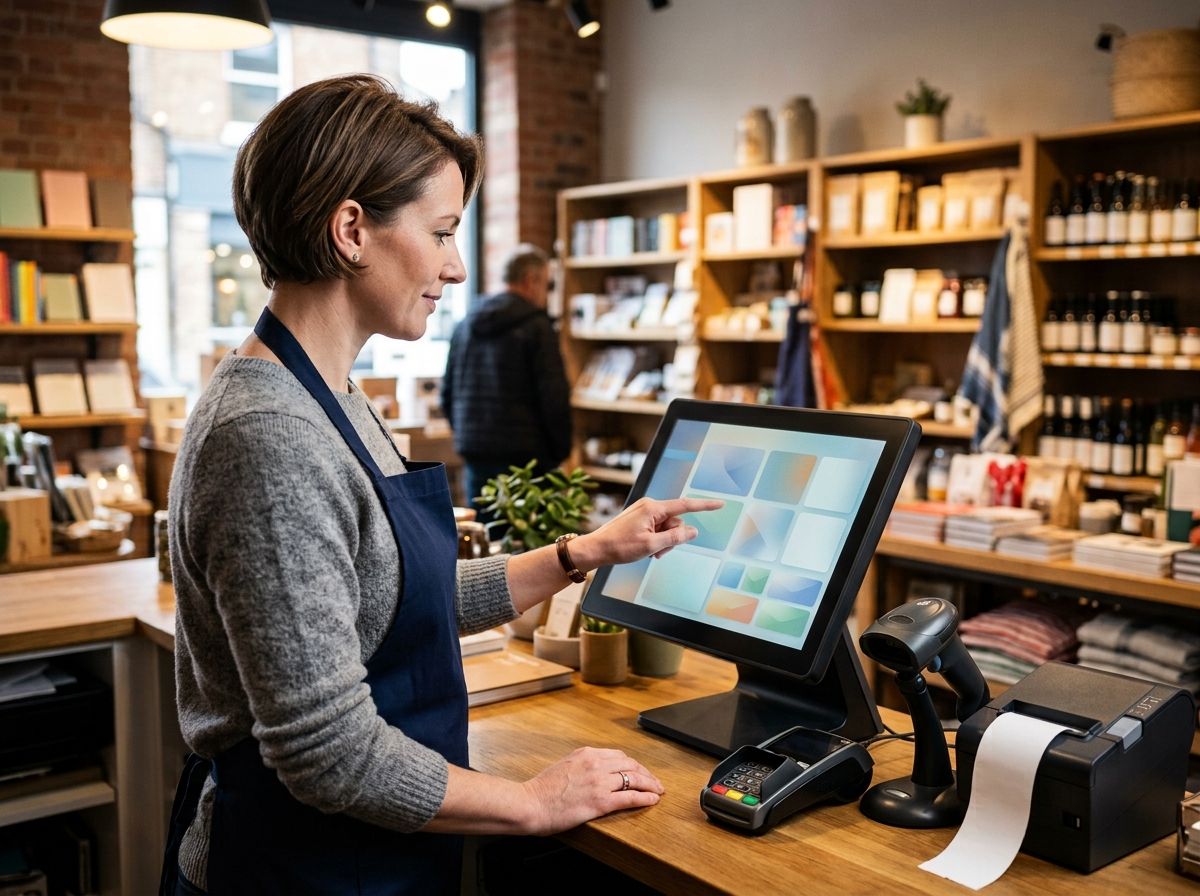
- Touchscreen terminal or tablet, the main interface staff use to ring up sales
- Card payment terminal, for contactless, chip and PIN, and mobile wallets
- Receipt printer, usually thermal
- Barcode scanner, for retail stock
- Cash drawer, for businesses that still take cash
You don’t need every item on that hardware list. A market stallholder or mobile hairdresser might run POS software entirely from a phone with a small card reader attached, no printer, no scanner, no dedicated terminal. A busy retail shop, by contrast, usually wants the full setup, since scanning barcodes is faster and more accurate than searching for products on a touchscreen.
Software-only setups have become far more common as tablet-based systems have matured. You buy or subscribe to the software, use hardware you already own (an iPad or Android tablet, for instance), and add extra peripherals only as your business grows.
Cloud POS vs Legacy Till: What’s the Difference?
This is one of the biggest decisions when choosing a system, and it affects cost, flexibility and what happens if something goes wrong.
Cloud-Based POS
Cloud POS software runs over the internet, with your data stored on the provider’s servers rather than on a machine in your shop. You can usually check sales figures from your phone at home, add products from any device, and roll out updates without an engineer visiting. Most new systems launched in the UK in the last few years are cloud-based by default. The main downside is that a lost internet connection can interrupt service, though most decent cloud systems now include an offline mode that queues transactions until connectivity returns.
Legacy (On-Premise) Till Systems
An on-premise or legacy system stores its software and data locally, usually on a dedicated server or the till itself. Once it’s installed, there are no ongoing hosting fees, and it doesn’t rely on your internet connection to keep working. The trade-off is that updates, backups and technical support usually fall to you or a local IT contractor, and checking sales figures away from the premises isn’t always straightforward. Legacy systems are increasingly rare for new installations, but plenty of longer-established shops and pubs are still running them, often because switching means retraining staff and migrating years of stock data.
For most small and medium UK businesses opening or upgrading in 2026, cloud POS has become the practical default, mainly because it needs less in-house IT knowledge to run day to day.
Typical POS Software Pricing Models
Pricing varies a lot between providers, and prices change often, so it’s worth checking a provider’s own page before you commit to anything. That said, three broad models cover most of the UK market.
Monthly subscription: Most cloud POS software is sold this way, typically from around £0 to £30 a month for a basic single-till plan, rising to £70 to £150 a month for systems with fuller stock control, staff management and multi-site reporting. Enterprise-level plans with advanced analytics can run higher still.
Free software with transaction fees: Some providers, including well-known card payment brands, offer the software itself for free and make their money through a percentage fee on each card transaction, commonly somewhere between 1.5% and 1.75% for UK card payments. This model suits low-volume or seasonal businesses well, since there’s no fixed monthly cost when you’re not trading.
One-off purchase or perpetual licence: A smaller number of UK providers sell the software outright as a one-time payment, often a few hundred pounds, with no ongoing software fee. You’ll usually still pay separately for card processing and any optional support contract.
On top of the software itself, hardware typically adds anywhere from under £50 for a basic card reader to £900 or more for a full terminal setup with printer, scanner and cash drawer. Card processing fees apply regardless of which software pricing model you choose, since that’s a separate cost charged by the payment processor rather than the POS provider. If you’re comparing quotes, ask what’s included in the monthly fee and what counts as an extra, since support, additional user logins, and software updates are sometimes billed separately even on subscription plans.
FAQs
What is a POS system?
A POS (point-of-sale) system is the combination of hardware and software a business uses to process sales, track stock, and record transaction data. It covers everything from the till screen staff use to the card reader customers tap.
How does a POS system work?
It calculates the total for a sale, processes the payment, updates stock levels automatically, and records the transaction for reporting. Cloud-based systems also sync this data across devices and locations in real time.
What’s the difference between POS and EPOS?
In the UK, “EPOS” (Electronic Point of Sale) and “POS” are now largely used interchangeably to describe modern, software-driven till systems. Older usage sometimes reserves “POS” for basic, offline tills and “EPOS” for connected systems with stock control and reporting.
Do I need POS hardware, or can I use software only?
You can run POS software with minimal hardware, often just a phone or tablet and a small card reader. Whether you need extra hardware like a scanner or dedicated terminal depends on your sales volume and how you take payment.
Is cloud POS or an on-premise till better for a small business?
Cloud POS suits most small businesses, since it needs less in-house IT support, updates automatically, and lets you check figures remotely. On-premise systems can work if internet reliability is a concern or you already have the local IT support to maintain one.
How much does POS software cost in the UK?
Costs range from free (with a percentage fee per card transaction) to around £150 a month for fuller-featured cloud plans, plus separate hardware and card processing costs. Some providers also offer a one-off purchase option instead of a subscription.
Can POS software connect to my accounting software?
Yes, most modern POS systems integrate with platforms such as Xero, QuickBooks and Sage, pushing sales and VAT data across automatically. This reduces manual data entry and supports compliance with HMRC’s Making Tax Digital requirements.
Does POS software help with staff management?
Many systems include staff permissions, clock-in and clock-out tracking, and sales-by-staff reporting. Some also feed hours worked directly into payroll software.