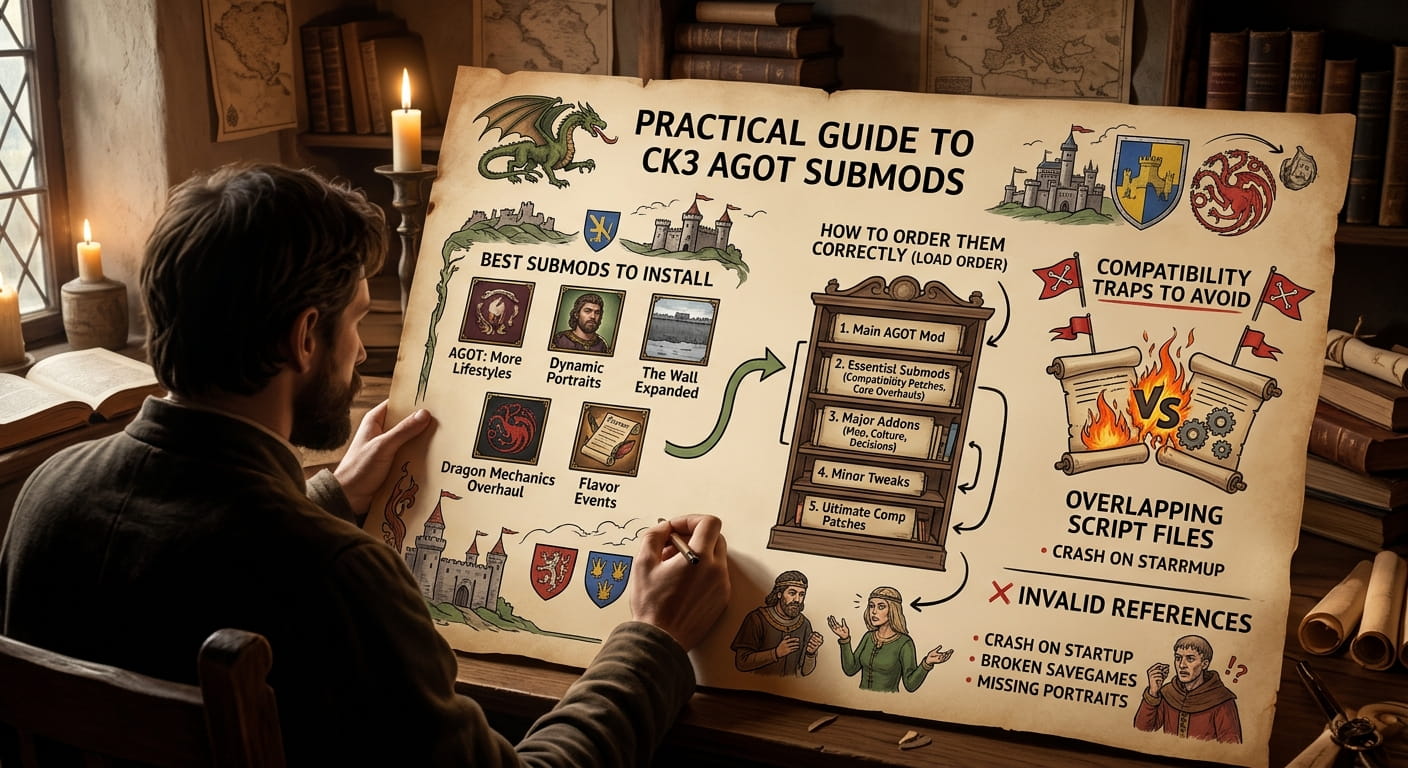
CK3 AGOT submods are the add-on mods that sit on top of the main A Game of Thrones mod for Crusader Kings III, adding everything from new dragon mechanics to Valyrian steel weapons and performance tweaks. The problem is not finding submods, because there are hundreds on the Steam Workshop. The problem is loading them in an order that does not break your save. This guide explains the core submods worth installing, the load order rules that actually matter, and the compatibility traps that catch new players out.
What Are CK3 AGOT Submods and Why Load Order Matters
The base AGOT mod overhauls the map, characters and mechanics of CK3 to create Westeros and western Essos. Submods then layer on top of that. Some are small quality-of-life fixes. Others, such as Legacy of Valyria, expand the map or add entire new systems.
CK3 loads mods in the order you set in the launcher, and later mods overwrite files from earlier ones. If two submods edit the same file without a compatibility patch, the one loaded last wins and the other may break. This is why the community developed AGOT Submod Core, a utility mod that does nothing on its own but provides shared files so that multiple submods can coexist without needing a separate patch for every combination .
The core mod explicitly supports Crowns of Westeros, Armor of the Kingsguard, Legacy of the Dragon, Valyrian Steel, AGOT+, The Golden Company and AGOT: Brightboar . If you plan to use any of those, Submod Core should sit near the top of your load order, immediately after the base AGOT mod.
The Core Submods Worth Installing First
These are the submods that appear most consistently in community load orders and recommendations.
AGOT Submod Core
A framework mod, not a content mod. It exists solely to let other submods share files without conflict . Install it after AGOT but before the content submods it supports.
Legacy of the Dragon
Adds new mechanics, weapons and outfits for characters . It is one of the submods supported by Submod Core, so it slots in cleanly after the core.
COW-AGOT (Castles of Westeros)
Adds new 3D castle models and special buildings for lesser houses . It is widely used and generally stable, though it touches model files, so check for compatibility if you also use other visual overhauls.
Legacy of Valyria
Expands the map further into Essos and allows the player to rebuild Valyria . This is a larger submod and requires a compatibility patch if used alongside certain other mods. The Carnalitas compatibility notes specifically mention verified compatibility with Legacy of Valyria, which suggests it is actively maintained .
AGOT+
Gives characters their show-based appearances and adds new outfits and mechanics . If you want the characters to look like the TV series rather than book-accurate portraits, this is the one to install.
A representative load order from a community Pastebin from December 2025 places AGOT first, then Submod Core, then Crowns of Westeros, Armor of the Kingsguard, Legacy of the Dragon, Valyrian Steel, AGOT+, and then various smaller mods . That is a useful template.
Dragon and Valyrian Steel Submods
The dragon system is one of the main draws of AGOT, and the submod scene reflects that.
Fewer Hatchlings
Limits AI hatching of dragons when three or more dragons are available for bonding at court. The stated aim is fewer baby dragons and more large dragons in the air . This is a balance mod rather than a content mod, and it is useful if you find the late game flooded with too many dragons.
Invite Dragon to Camp
Allows you to invite wild dragons to your camp or court when you do not have a dragonpit. A button appears where the dragonpit button usually sits, and the dragon is added to your court and marked as owned .
Dragonpit Access: None Without Permit
Replaces the “everyone” dragonpit access law with “no one” access. This makes it easier to grant access to specific people rather than manually removing it from every relative . Small quality-of-life change, but useful if you are managing a dragon-riding dynasty.
More Valyrian Steel
Lore states there are thousands of Valyrian steel weapons in the known world but only around 227 in Westeros. This mod expands the number available . If you want Valyrian steel to feel rare but find the base mod too restrictive, this adjusts the balance.
Performance Submods: AGOT Small and AGOT Micro
The CK3AGOT team released two official performance submods designed for players whose computers struggle with the mod’s terrain textures .
AGOT Small quarters the resolution of terrain textures. AGOT Micro quarters it again for lower-end machines. The team explicitly states that these are not compounding, so you should not download both expecting double the performance improvement .
These are the only two official submods from the AGOT team, which means they are safe to use and will not conflict with the base mod in unexpected ways. If you are experiencing lag or high temperatures, AGOT Small is the sensible first step.
Load Order Rules That Actually Matter
The community has converged on a few principles. These are not official rules from the AGOT team, but they reflect how CK3’s mod system works in practice.
Base mod first. A Game of Thrones must load before any submod.
Submod Core immediately after AGOT. It provides shared files that other submods depend on .
Content submods next. Legacy of the Dragon, COW-AGOT, AGOT+ and similar mods go after Submod Core.
Compatibility patches after the mods they patch. If you use a patch, load it after both parent mods.
Carnalitas and related mods last. The Carnalitas AGOT compatibility patch explicitly states that Carnalitas and mods based on it should load after AGOT and other AGOT submods . The recommended order is AGOT, then AGOT submods, then Carnalitas, then the Carnalitas AGOT Compatibility patch, then any other Carnalitas-based mods .
Translations last. A Portuguese translation mod for AGOT and its submods instructs users to activate it last in the playset, after AGOT and all submods .
Common Mistakes and Compatibility Traps
Installing both AGOT Small and AGOT Micro. They do not stack. Pick one based on how much performance you need to recover .
Ignoring Submod Core. If you install Legacy of the Dragon or Crowns of Westeros without Submod Core, they may conflict with each other. The core exists specifically to prevent that .
Using outdated submods. AGOT updates frequently. A submod that worked six months ago may now be broken. The Before the Doom submod, for example, was recently revived as a “basic compatibility release” after being outdated, with the explicit warning that “other submods may cause conflicts” . Check the last update date on the Workshop page before subscribing.
Assuming a submod is abandoned because it has not updated. Some submods are stable and do not need frequent updates. Others, particularly those that touch game files AGOT changes often, need active maintenance. The Workshop comments and the mod’s changelog are the best indicators.
Forgetting that AGOT itself has a slavery system now. Starting with version 0.2.0, AGOT introduced its own slavery system. The Carnalitas compatibility patch notes that it does not integrate with or change AGOT’s system, and a better integration is available through the CSR AGOT Compatibility mod . If you use Carnalitas for slavery mechanics, you need that patch.
Frequently Asked Questions
What are the best CK3 AGOT submods?
The most consistently recommended submods are AGOT Submod Core, Legacy of the Dragon, COW-AGOT, Legacy of Valyria and AGOT+. Submod Core is a framework that supports several of the others. Dragon-focused players also use Fewer Hatchlings and Invite Dragon to Camp for balance and convenience .
How do I install CK3 AGOT submods?
Subscribe to the submods on the Steam Workshop, then arrange them in the correct load order in the CK3 launcher. AGOT must load first, Submod Core immediately after, then content submods, then compatibility patches and Carnalitas-based mods last. Check each submod’s Workshop page for specific load order instructions .
Why are my CK3 AGOT submods not working?
The most common causes are incorrect load order, missing compatibility patches, or using a submod that has not been updated for the current AGOT version. Check that Submod Core is installed if you use any of its supported mods, and verify that each submod’s last update date is recent enough to match your AGOT version .
What is AGOT Submod Core?
AGOT Submod Core is a utility mod that does nothing on its own. It provides shared files so that multiple submods which edit the same files can load together without needing individual patches. It supports Crowns of Westeros, Armor of the Kingsguard, Legacy of the Dragon, Valyrian Steel, AGOT+, The Golden Company and AGOT: Brightboar .